sparklesTurn growing up into an RPG game

No More Yelling:
Reshape Parenting with a Gamified Points System & Chore Tracker

Points Hero β€”β€” Turn growing up into an RPG game. Use scientific "Agreements" to easily solve daily parenting pain points like dawdling and constant bargaining.
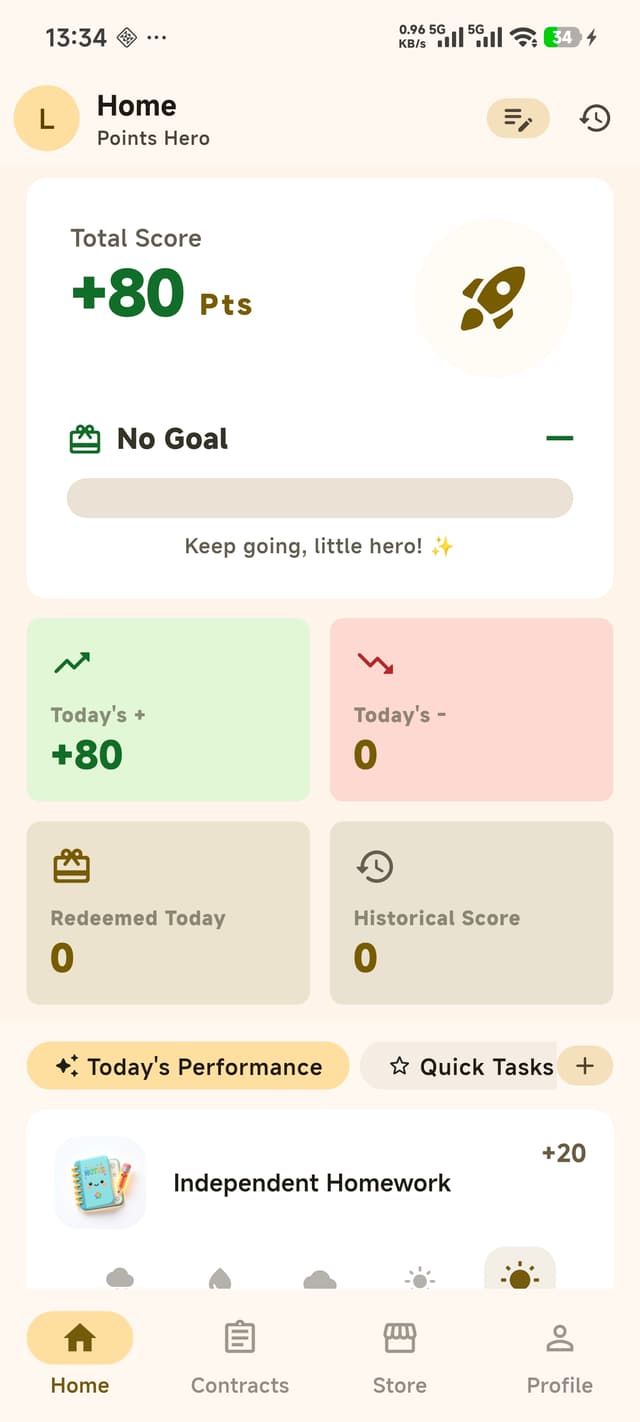
Points Hero gamified chore app dashboard preview

Core Features: A Complete Habit Tracker for Kids

Three core capabilities to build a complete internal cycle of family education and positive motivation.

dashboard

[Dashboard] Track Every Bit of Progress

Clear progress overview. The dashboard aggregates the child's entire current points status.

starsToday's Performance
  • 😊 Emotion Control ⭐⭐⭐⭐⭐
  • πŸƒβ€β™‚οΈ Physical Exercise ⭐⭐⭐⭐
  • πŸ“š Learning Status ⭐⭐⭐⭐⭐
  • 🀝 Being Polite ⭐⭐⭐⭐
  • 🍽️ Eating Habits ⭐⭐⭐⭐⭐
  • πŸ›Œ Sleep Routine ⭐⭐⭐⭐
psychologyGrowth Advice (Weekly)
  • πŸ† Recommended: Add Reward Tasks
    β€’ Sleep early & wake up early +10β€’ Help wash the dishes +15
  • ⚠️ Recommended: Strengthen Rules
    β€’ Tantrums without reason -20β€’ Arguing or swearing -30
task_altCommon Tasks
  • πŸ“˜ Read English ⭐⭐⭐⭐⭐
  • πŸ“• Read Literature ⭐⭐⭐⭐
  • 🍽️ Wash dishes ⭐⭐⭐⭐⭐
  • 🧹 Clean room ⭐⭐⭐⭐
  • 🎹 Practice piano (30m) ⭐⭐⭐⭐⭐
  • πŸŽ’ Pack school bag ⭐⭐⭐⭐
πŸ“ˆ Data Dashboard | πŸ¦Έβ€β™‚οΈ Multi-child Management | πŸ”” Real-time Alerts
history_edu

[Growth Tasks]

Want points? Complete our little agreements first! This is the source of all performance tracking.

handshake 1. AgreementsUse templates from the built-in habit library, or customize your own.
list_alt 2. Convert to TasksSigned agreements are automatically broken down and synced to the dashboard.
rate_review 3. Review & ScoringAfter tasks are completed, parents can directly give star ratings to calculate points.
shopping_bag

[Wish Store]

The sacred Wish Store quantifies effort into anticipation. A complete reward loop:

track_changes
1. Set Wish GoalsChildren pick their favorite gifts independently and set them as goals.
add_task
2. Earn PointsAccumulate points through daily tasks and positive behaviors.
shopping_cart
3. Request RedemptionOnce points cover the cost, children can apply to redeem. Approvals are required.
verified
4. Approval & FulfillmentParents easily approve requests online, and grant the physical rewards in real life.
rule Real Redemption Workflow
1
On Sale Bubble Machine (40 pts)
2
Pending Request Submitted
3
Review (Parent check)
4
Redeemedverified
Time: 04-08 00:29
User: guren_d
psychology

[Interactive Cards] Better than Boring Lectures

Don't know how to praise or teach? The system intelligently pushes interactive feedback:

smart_toy
1. Smart Behavior CaptureAutomatically tracks positive highlights and negative infractions to notify parents at the right time.
moving
2. Flexible Rewards & PenaltiesParents can easily assign positive points or execute penalty deductions with one tap.
volunteer_activism
3. Task Feedback LoopAttach a "Keep it up" praise or a "Promise to improve" warning receipt for better communication.
favorite

Focused in Class

Follow the teacher's pace and avoid getting distracted.

+10
+20
+30
+50
+100
Points ChangedReward points for completion
+30
pan_toolI will keep it up and do even better next time.

Effortless Setup

Pain-free onboarding! Only 4 core steps to quickly customize your exclusive family growth plan.

Initial Setup
Step 2: Configuration
Step 2 / 425% Completed
fact_check
Select Today's Performance
Select dimensions to evaluate your child's performance today. These will be added to your task list.
β˜… Selected Items
Pay AttentionClean UpPolite LanguageStay Focused
1
person_add

1. Create Little Hero Profile

Create an exclusive growth profile. Set a cute nickname and easily switch between multiple children's independent data later.

2
checklist

2. Customize [Today's Performance]

Select dimensions to evaluate your child's daily behavior. Simply check tags like "Pay Attention" or "Clean Up" to lay down the basic rules.

3
library_add_check

3. Pick [Common Tasks]

Search and add quick tasks from the rich built-in habit library. Whether it's "Go to the library" or "Pack school bag", get it done in one click!

4
redeem

4. Configure [Wish Gifts]

Fill the store with custom gifts, like 30 pts for a "Snack Pack" or 200 pts for "Amusement Park". Quantify their wishes to drive motivation!

Seamless "Family Synergy"

Dad's on a trip or grandparents babysitting? Just two steps to say goodbye to out-of-sync parenting.

1

Generate Invite Code

As the main admin, generate a unique 6-digit alphanumeric invite code (valid for 24h) with one click to send to your partner or parents.

2

Join with One Click

Relatives enter the invite code in their App, select their relationship (e.g., Spouse, Grandparent), and successfully join the family group.

3

Comprehensive Data Sharing

Once linked, all members can track tasks, score performances, and issue rewards together. Ensuring growth data is transparent to the whole family!

arrow_backJoin
share

Share Invite Code

Send this code to other family members to join your family binding!

Your Invite Code
RS8622J6
arrow_backJoin Family

Join the Circle

Enter the code provided by your relative to join. Track tasks, claim rewards, and grow together.

Invite Code
RS8622J6vpn_key
Your Relationship
Spousearrow_drop_down
auto_awesome
Shared Journey
Once joined, you can collaborate with your family to track tasks, issue rewards, and grow together.

Impact on the Family

Fewer bargains and tantrums, more scientific habit building and mutual understanding.

verified_user

Positive Motivation

Focus on praising your child's strengths, boosting their confidence through positive feedback loops. Clear tasks and agreements allow kids to feel a sense of achievement when they complete their goals.
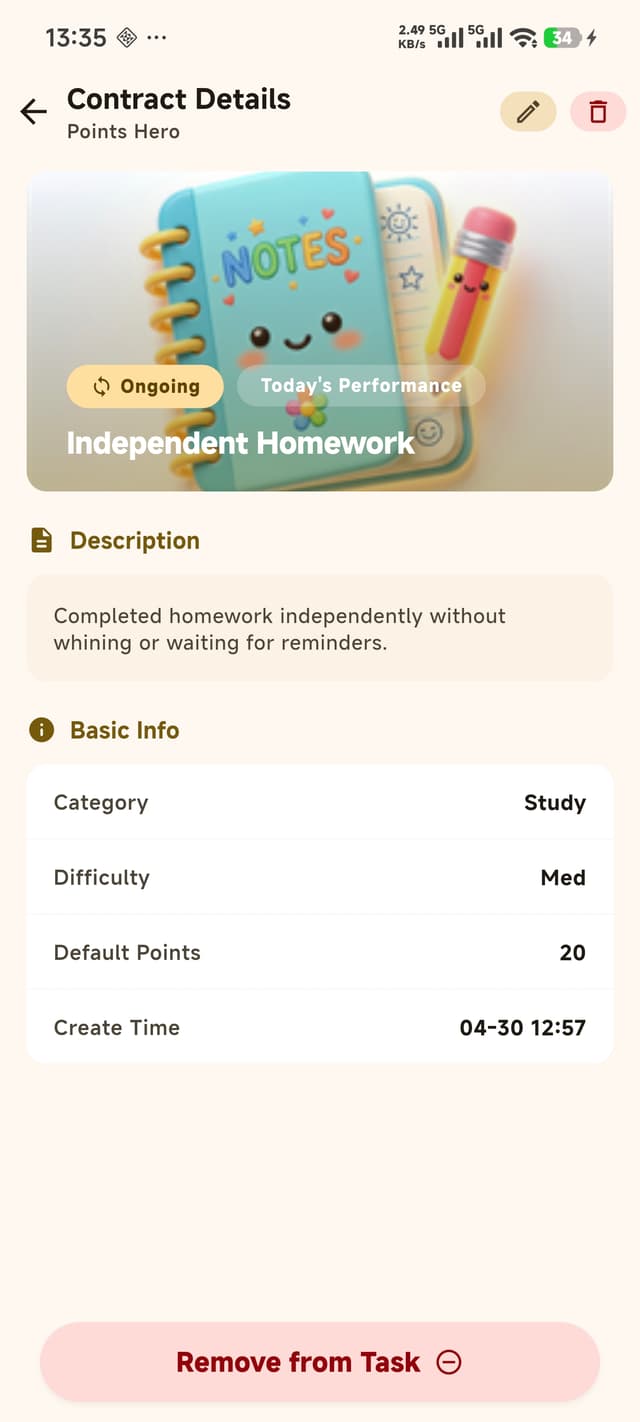
Contract Rules
groups

Harmonious Relationship

Resolve daily conflicts with a "points system", where everyone is equal before the rules. Points can be redeemed for snacks, toys, and wishes in the store, fueling your child's inner drive.
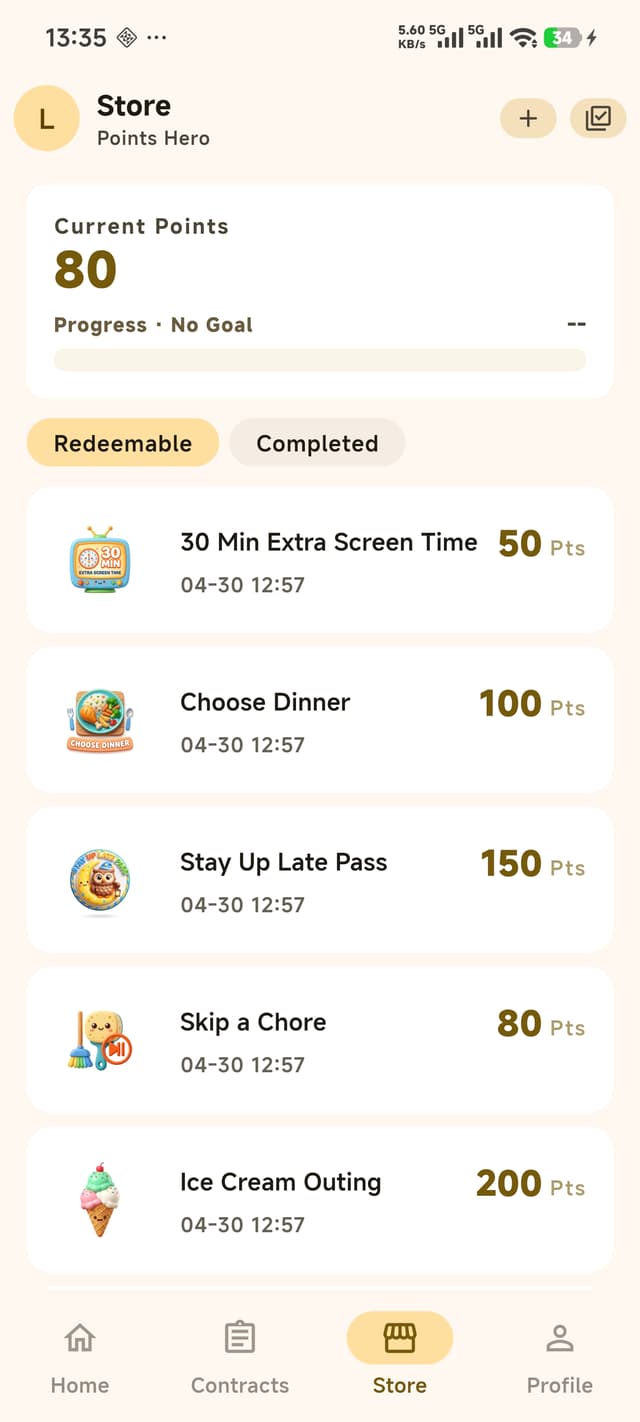
Reward Store
cloud_sync

Family Data Sync

Whether it's mom, dad, or grandparents, data is fully synced in the cloud! Record feedback and suggestions anytime, making every growth milestone clearly visible.
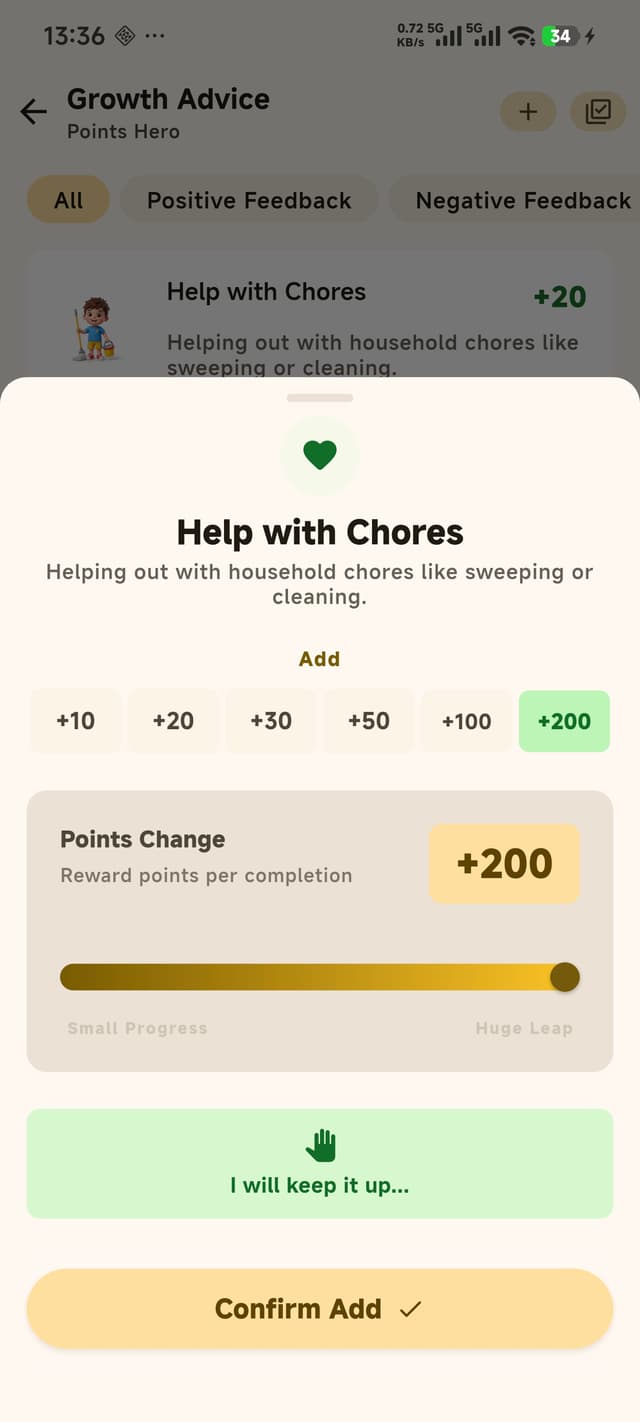
Growth Record

"Profile" Admin Center

Fully control data and configurations, making family education more scientific and worry-free.

notifications_active
Notifications & Interactions
Never miss any system notifications or interactive moments
inventory_2
Parent's Treasure Box
Manage exclusive gifts based on your child's behavior
history_edu
Task Management
Easily view active tasks and batch-add from the library
folder_shared
Growth Advice Archive
Keep a complete track of custom evaluations and alerts
diversity_3
Relatives & Multi-child
Invite partners to co-parent; isolate multi-child profiles
language
Full Multi-language (EN/CN)
Switch the UI with one click and enjoy a seamless bilingual experience

Frequently Asked Questions (FAQ)

help1. What is Points Hero?
Points Hero is a family-designed app driven by a "Points + Goal Rewards" system. Through gamified tasks, intuitive weather-based scoring, and a wish store, it helps parents guide children's behavior with minimal friction and provides continuous positive feedback.
help2. Is the app operated by parents or children?
The app is parent-led, with children participating in "ceremonial confirmations". Parents handle daily points and store items on their phones, while children swipe to confirm goals or acknowledge mistakes on the screen, building engagement and a sense of contract.
help3. Can I manage more than one child?
Absolutely. The app supports isolated multi-child profiles. You can create exclusive accounts for each child, ensuring their points, goals, and tasks remain completely independent and do not interfere with each other.
help4. What is the "5-tier Weather Scoring"?
To help children easily understand their performance, we pioneered a kid-friendly "weather" system:
β˜€οΈ Sunny (Great): +20 pts
🌀️ Partly Cloudy (Good): +10 pts
β›… Cloudy (Neutral): 0 pts
πŸŒ₯️ Overcast (Try Again): -10 pts
🌧️ Rainy (Needs Work): -20 pts
Parents can just tap the weather icon instead of typing numbers.
help5. How do I add or deduct points?
In two ways:
Today's Performance: Directly rate their overall behavior with weather icons on the dashboard.
Growth Tasks: Add specific behavior cards (like habits or chores) and score them individually.
help6. What if my child needs to correct bad habits?
Use the Growth Advice (Penalties) feature. Customize the negative behavior and points to deduct. To ensure real educational value, children must swipe to confirm (promising to improve) before the points are deducted, replacing traditional scolding with a meaningful ritual.
help7. How should I price the rewards in the store?
We recommend combining "small daily rewards (low points)" with "big weekend rewards (high points)". For example, 10 mins of TV for 10 pts, but a "trip to the zoo" for 200 pts. This keeps their motivation high!
help8. Does redeeming a gift automatically deduct points instantly?
No. The store uses a secure two-step verification mechanism:
1. Request: The child requests an item (points are not deducted yet).
2. Approve: The system only deducts points after the parent taps "Approve" upon handing over the real reward.
help9. Why recommend setting a "Goal Gift"?
Tapping "Set Goal" on a gift in the store pins it to the dashboard. Seeing the progress bar and "X points remaining" every time they open the app is a massive driver for intrinsic motivation.
help10. What's the point of the "Swipe to Confirm" mechanism?
When claiming high points, setting goals, or promising to behave, the app requires children to drag a slider past 90%. This interactive "friction" deepens their psychological commitment and strengthens the sense of a contract.
help11. What if I entered the wrong score?
You can simply tap the correct score to overwrite the mistake. Modifying the score within the same cycle updates the record without duplicating it. You can also review the full transaction ledger at any time.

Ready to start a new journey with your little hero?

Choose your platform to download the app.
* Note: The iOS app is currently under review.